
GENSHIN IMPACT CO-OP FINDER
Find Genshin Impact Teammates
Find Genshin Impact co-op partners for domains, bosses, and events. Matched by playstyle and schedule, across PC, PlayStation, Xbox, and mobile.
Press start



Why Player 2 for Genshin Impact?
Genshin Impact is a solo adventure with a co-op mode on top, and that mode has rules that catch new groups out. Both players must be on the same server, and progress does not move between servers. A friend on the Europe server cannot enter your America world at all. So the first question for a co-op partner is where they play, and the second is when.
Player 2's playstyle survey covers the when and the how: your play hours, how much you talk, how patient you are with newer players, and whether you play to relax or to clear content fast. Add Genshin Impact to your library, and the app uses it when it suggests players.
For a domain or a boss you cannot clear alone, post an LFG. Put your server and World Level in the title, say how many players you need, and mark whether you use a mic.
How Genshin Impact co-op decides who can join
Co-op opens at Adventure Rank 16
Co-Op Mode unlocks at Adventure Rank 16, after the required quests. A new account cannot join a friend's world on the first day, so a new player has some solo hours ahead. A party holds up to four players, and with four in the world each player brings one character.
The server matters more than the platform
Players on PC, PlayStation 5, Xbox, Android, and iOS can all play Co-Op together. The wall is the server. America, Europe, Asia, and TW, HK, MO are separate, both players must be on the same one, and progress cannot be moved between them. On PlayStation, the server follows the region of the PSN account.
The world belongs to the host
A co-op session runs inside the host's world. Story quests pause while guests are present, and guests cannot open the host's chests. Shared play is for domains, bosses, Ley Line Outcrops, and events, where each player spends their own Original Resin for their own reward.
World Level sets the direction of a visit
A player can join a world only when its World Level is equal to or lower than their own. A veteran can drop into a newer player's world to help, but the newer player cannot enter the veteran's world. That is why a request for help should state your World Level.
How Player 2 matches for Genshin Impact
Say your server first
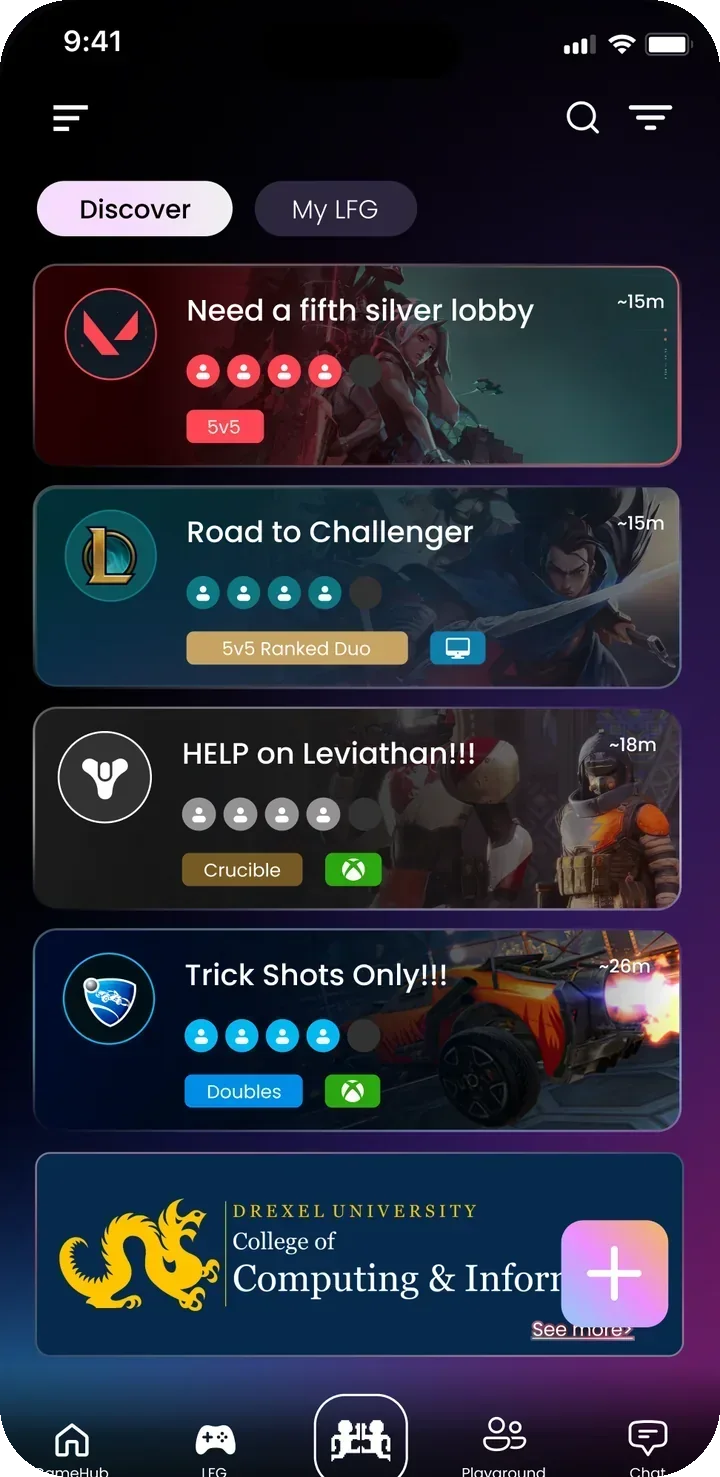
Player 2 has no server filter. Put your server and World Level in the LFG title, and only players who can enter your world need to answer.
Co-op hours that line up
The survey asks when you play. A partner who is online in the same hours is the one you can run domains with every day.
Helpers who like helping
The survey asks how patient you are with new players and whether you play for fun or to win, so a relaxed explorer and a speed farmer are less likely to be suggested to each other.
Keep a co-op circle
A Playground, a community inside Player 2, gives a regular group one place to plan boss runs and events, with chat between sessions.

Genshin Impact Teammate Finder FAQ
Is Player 2 affiliated with HoYoverse or Genshin Impact?
No. Player 2 is an independent app for finding compatible teammates. Genshin Impact and HoYoverse are trademarks of their owner.
Why can't I join my friend's world?
Three things block a join: you are below Adventure Rank 16, you are on a different server, or your World Level is lower than the host's. The host may also be in a quest that turns Co-Op off for a while.
Can players on different platforms play together?
Yes. Genshin Impact co-op works across PC, PlayStation 5, Xbox, Android, and iOS. Xbox has a cross-platform setting that limits Co-Op to other Xbox players when it is on.
Does Player 2 filter by server or World Level?
No. Player 2 matches on your playstyle survey and the games in your library. State your server and World Level in your LFG title or your first message.
Can I link my HoYoverse account?
No. Player 2 links Steam, Xbox, PlayStation, GOG, and Epic libraries. If Genshin Impact does not come in from one of those, search for it and add it to your library by hand.
Is it free?
Yes. Player 2 is free on iOS, Android, and the web. An optional PRO subscription adds extras.
Other games on Player 2
- Valorant
- League of Legends
- Apex Legends
- Rocket League
- Minecraft
- NBA 2K
- Clash of Clans
- Call of Duty: Warzone
- Counter-Strike 2
- Dead by Daylight
- Marvel Rivals
- Fortnite
- Helldivers 2
- The Finals
- Overwatch 2
- Destiny 2
- Palworld
- Roblox
- Call of Duty: Mobile
- PUBG Mobile
- Free Fire
- Mobile Legends: Bang Bang
- League of Legends: Wild Rift
- Rainbow Six Siege
- Dota 2
- GTA Online
- GTA 6 Online
- Call of Duty: Modern Warfare 4
- Battlefield 6
- Delta Force
- PUBG: Battlegrounds
- Escape from Tarkov
- ARC Raiders
- Rust
- WARDOGS
- Deadlock
- Warframe
- EA SPORTS FC 27
- Gears of War: E-Day
- Path of Exile 2
- Elden Ring Nightreign
- AION 2